Introducing Downlink Media
Downlink Media is a media asset management server for video teams whose footage already lives on a NAS. It runs on your own hardware, next to your storage, with no cloud in between. Here is why we built it and how it works.
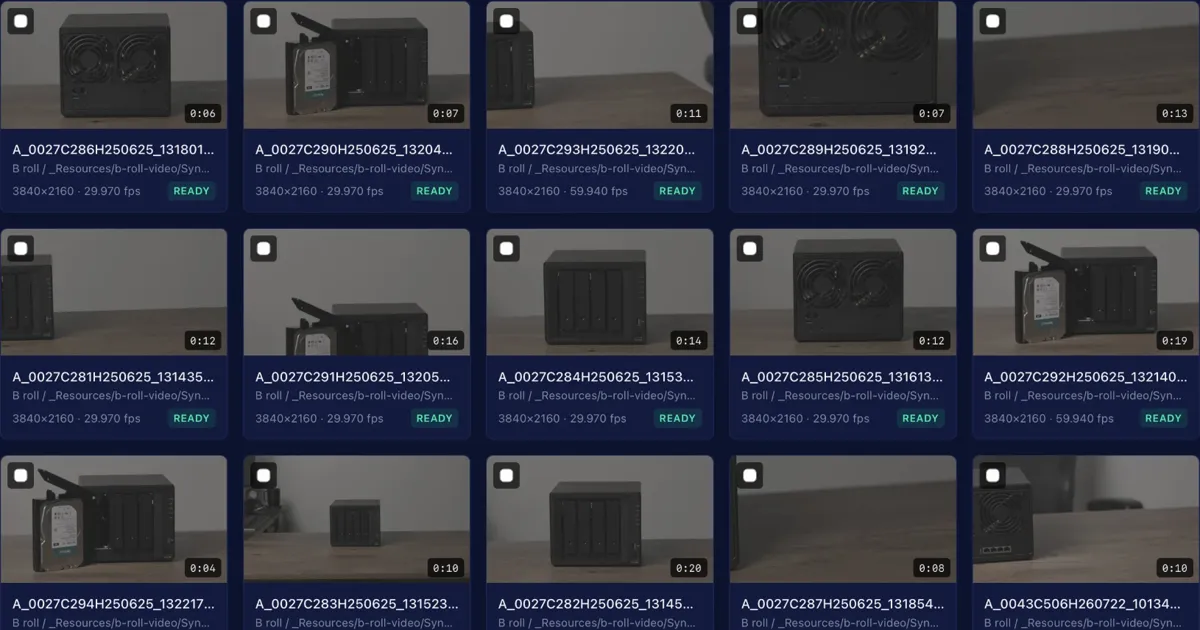
Most video teams already have their footage in one place: a NAS full of shares that every edit suite mounts. What they do not have is a way to find anything in it without knowing the folder, or to show a cut to a client without exporting and uploading it somewhere else.
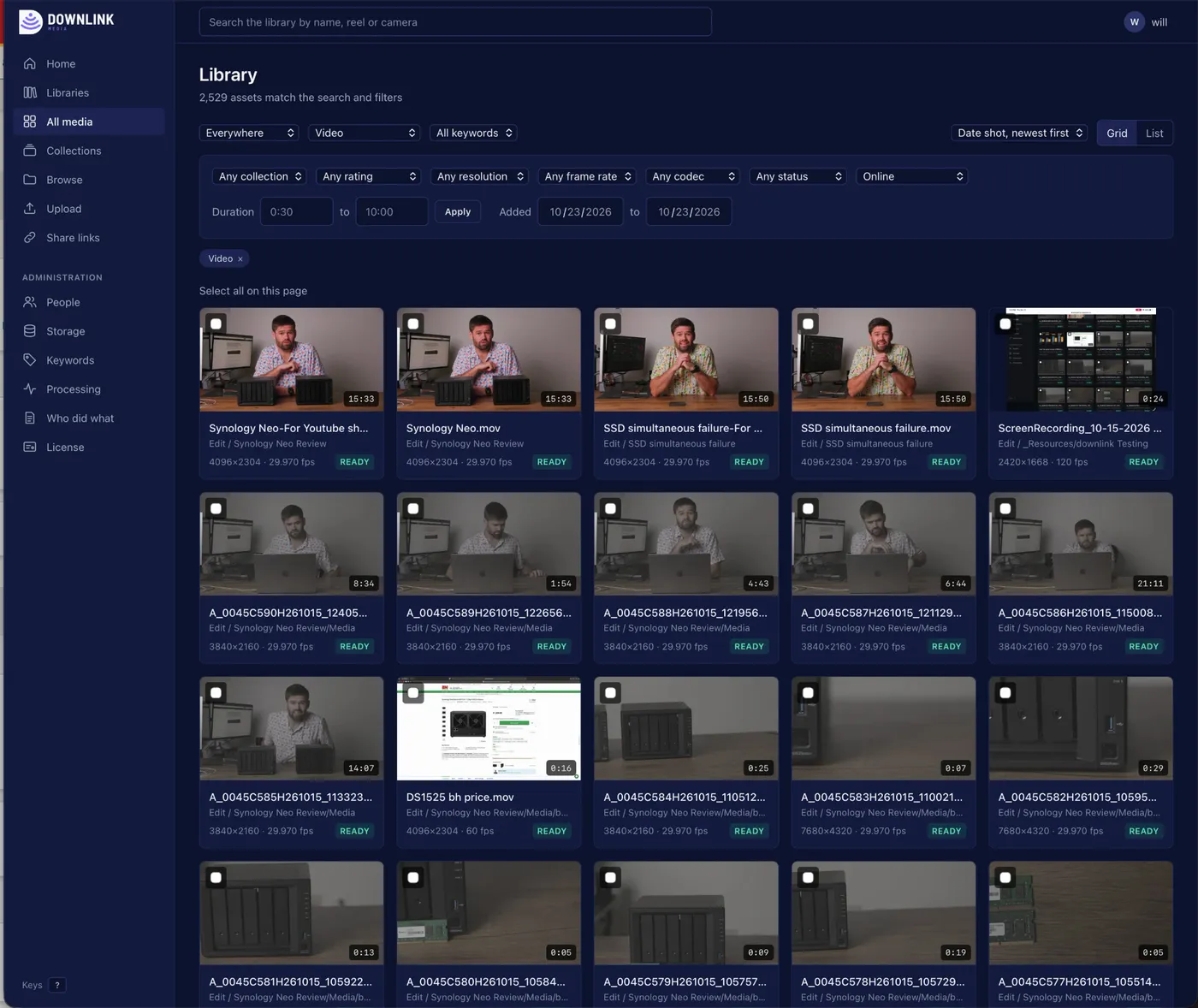
Downlink Media works from those shares. It indexes them where they are, reads the metadata from each file, makes browser-friendly proxies, and gives everyone one place to search, watch, comment and share. It never copies the originals, and it never writes over them.
On your premises, with no cloud required
Downlink runs on a server you own, on the same network as your storage. It is a set of containers you start with Docker, and everything it does happens there:
- Your originals stay on your NAS. Downlink reads them over NFS or SMB, or from a local disk, so it works with every NAS brand, including Synology, QNAP, UGREEN and TrueNAS. Nothing is copied to us or to anyone else.
- Proxies and thumbnails are made on your server, with FFmpeg, and kept on its own storage.
- Transcripts are made on your server too. The speech model is built into Downlink, so nothing is sent away to be transcribed.
- Search, comments, keywords and collections live in Downlink's database, on the same server.
There is no upload to wait for, no per-gigabyte storage bill, and no copy of your footage in a data centre you do not control. Editors play proxies from a server in the next room, not from the other side of the internet.
Built for real storage
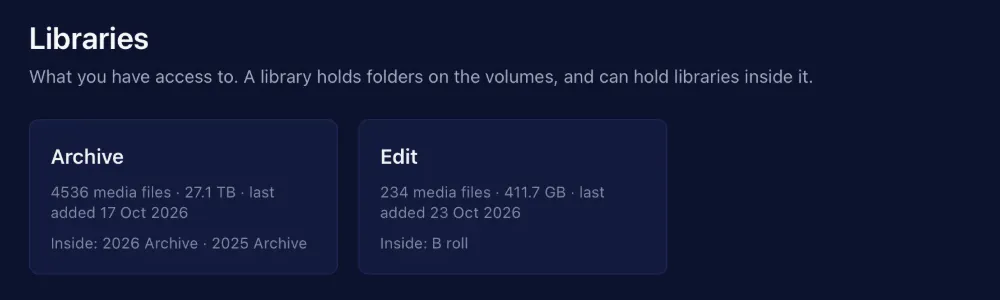
Shares go offline. Files take hours to copy. Folders get renamed the day before delivery. Downlink is built around all of that: it knows when a volume is missing rather than empty, waits for files to settle, and follows renames and moves so comments and keywords are never lost.
Find it, watch it, talk about it
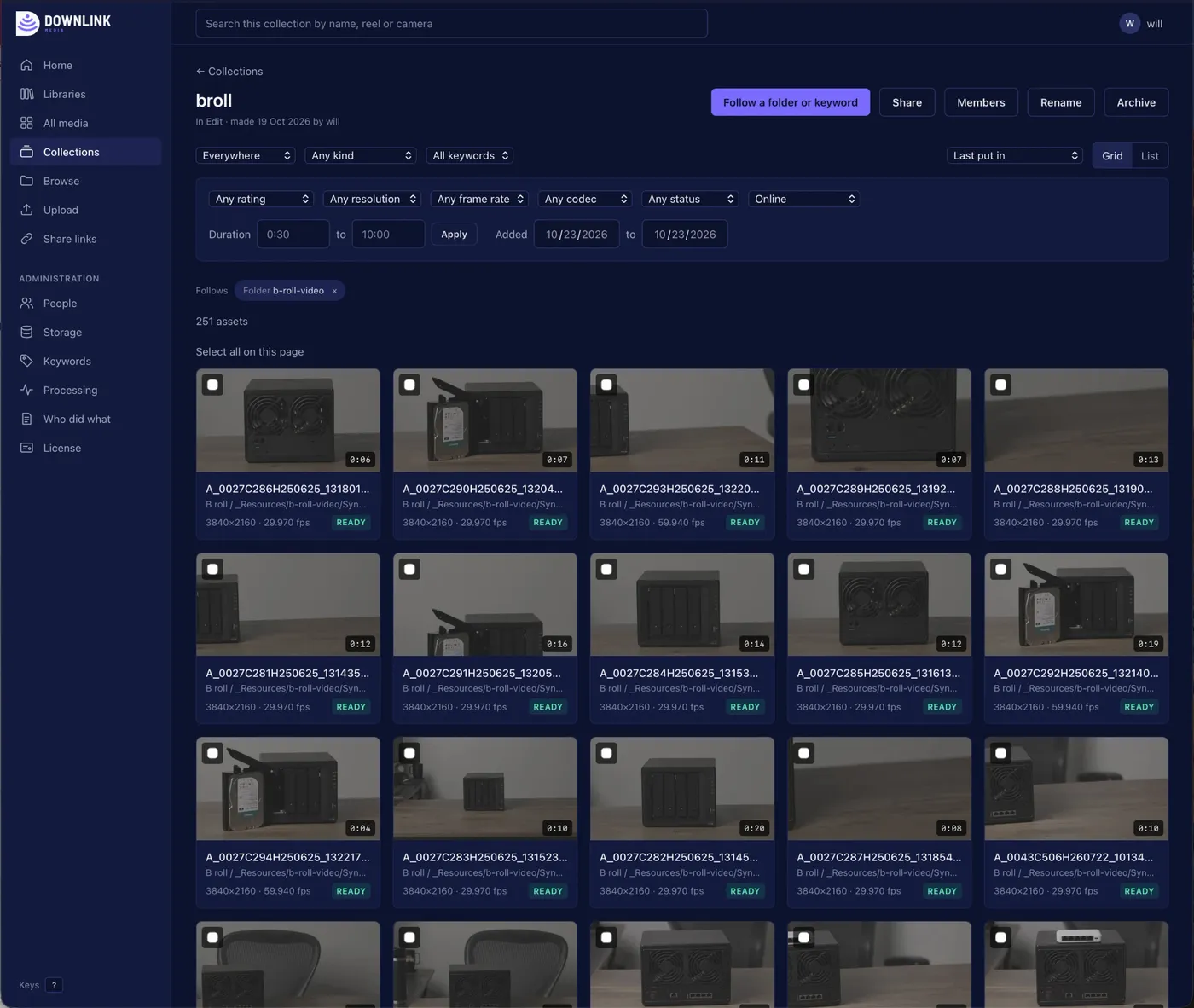
Search the whole library by name, reel or camera, and narrow it by kind, resolution, frame rate, codec, rating or keyword. Open a clip to play its proxy, leave a comment pinned to the frame, read its transcript, rate it, and add notes and keywords that everyone on the team can search.
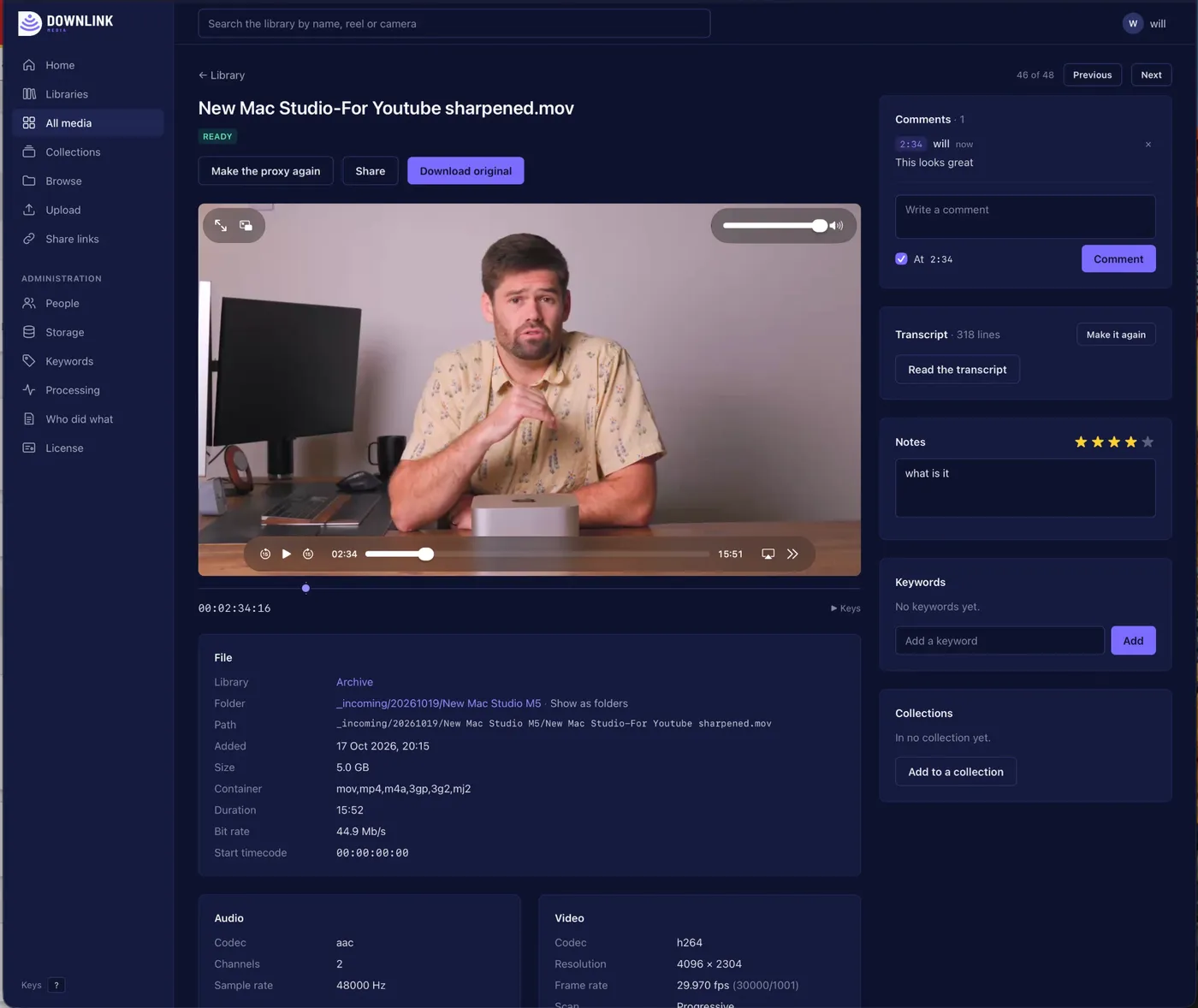
Collections gather clips from anywhere in the library. A collection can follow a folder or a keyword, so it fills itself as new footage lands.
Share without uploading
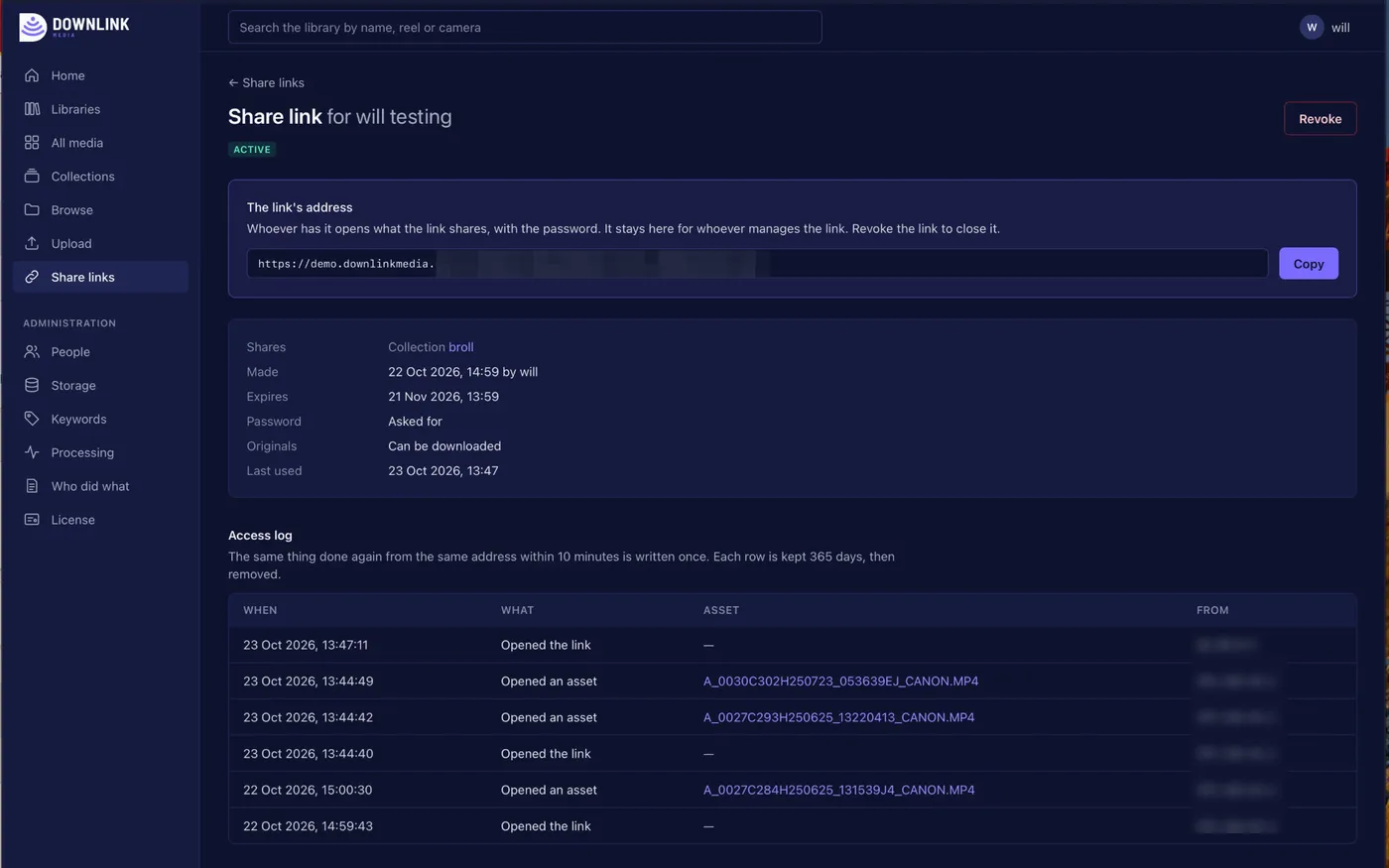
A share link gives a client a clip or a whole collection, served straight from your Downlink server at your own address. You choose when it expires, whether it asks for a password, and whether the originals can be downloaded. Every link keeps a log of when it was opened and what was watched, and you can revoke it at any time.
What does leave your network
One thing: the license. Once an hour Downlink checks in with our license server, sending the installation's id, its version, and how many accounts, assets and volumes it has. No file names, no metadata and no media. A site with no way out to the internet turns the check-in off and pastes its license in instead.
If a license ever lapses, Downlink becomes read-only rather than stopping: people can still sign in, search, play and download, and share links still open.
What is next
We publish what changes in every version on the release notes page. If you would like to see Downlink running on footage like yours, get in touch.